


Artificial Intelligence is no longer just a trend. It has become a core skill for students in 2026.
From coding and content creation to research and freelancing, AI tools are now part of everyday workflows.
However, most students make one mistake.
They use AI tools casually instead of learning how to use them professionally and strategically.
In this blog, you will learn:
- the most important AI tools for students
- how each tool is used in real workflows
- practical use cases
- how these tools can help in learning, projects, and earning
Why AI Tools Are Important for Students
The learning approach has changed.
Students who use AI effectively can:
- complete tasks faster
- build better projects
- improve productivity
- explore freelancing opportunities earlier
👉 AI is no longer optional. It is a productivity multiplier.
Top AI Tools Every Student Should Learn in 2026
1. ChatGPT (Core AI Tool)
What it does:
- content generation
- coding assistance
- problem solving
- explanations
Practical Use Cases:
- writing assignments
- learning programming concepts
- generating project ideas
- debugging code
👉 This is the most important starting tool
2. Gemini (Structured Learning & Research)
What it does:
- structured answers
- research support
- topic breakdown
Use Cases:
- concept understanding
- academic research
- summarizing topics
👉 Best for students who want clarity and structured learning
3. Notion AI (Productivity System)
What it does:
- note organization
- task management
- content generation
Use Cases:
- creating study systems
- managing projects
- building knowledge base
👉 Helps in building organized thinking + productivity workflows
4. Canva AI (Design & Presentation)
What it does:
- presentation generation
- design automation
- visual content creation
Use Cases:
- college presentations
- social media content
- portfolio visuals
👉 No design skills required
5. Perplexity AI (Research Assistant)
What it does:
- real-time research
- source-based answers
Use Cases:
- project research
- data collection
- fact-checking
👉 More reliable than random search results

How Students Should Use These AI Tools (Right Approach)
Most students use AI like this:
❌ Ask → Copy → Submit
This is wrong.
Correct Approach:
- Ask structured questions
- Understand output
- Modify and refine
- Build something
👉 AI should be used as a thinking partner, not a shortcut
AI Workflow Example (Real Use Case)
Let’s say you want to create a project.
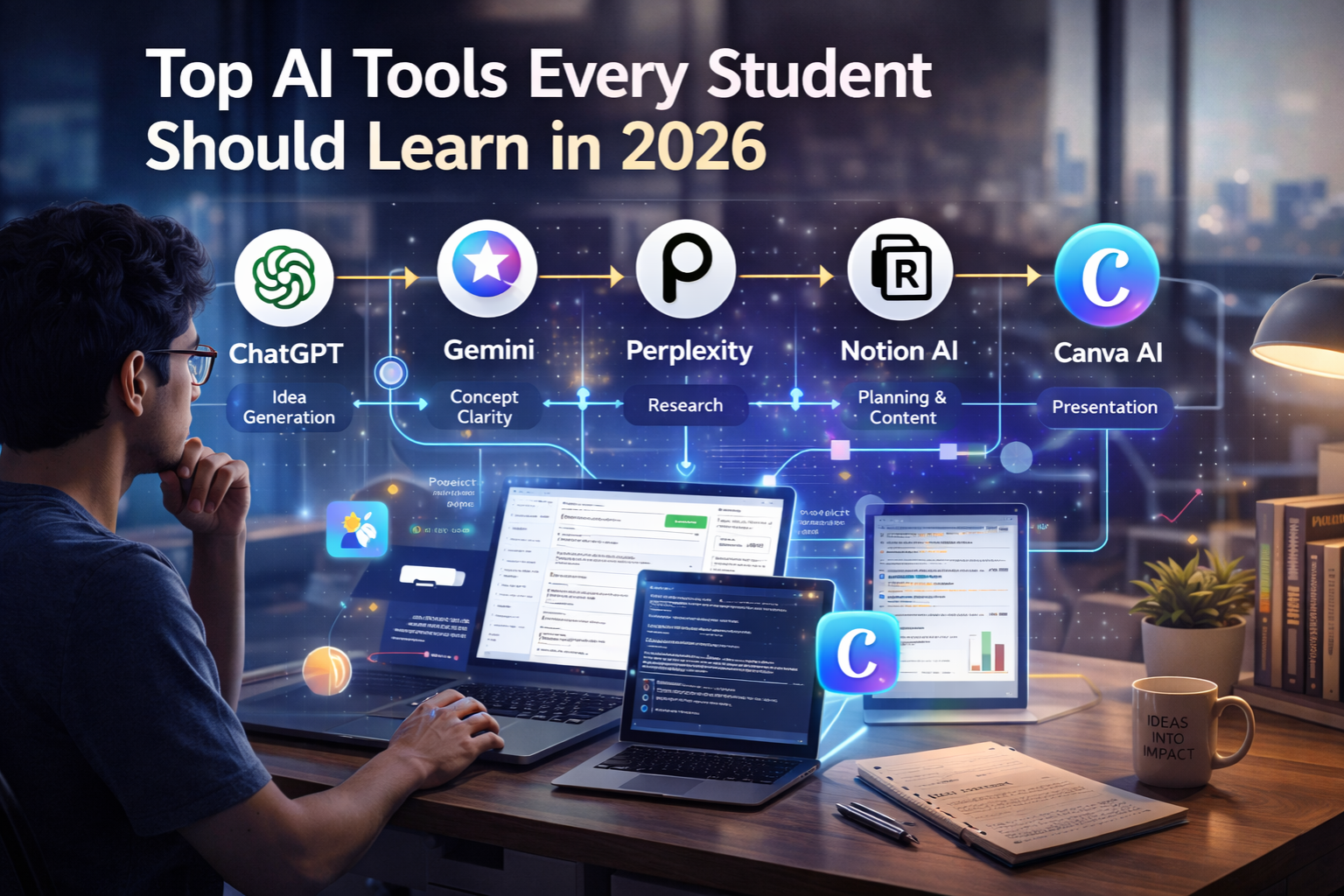
Workflow:
- ChatGPT → idea generation
- Gemini → concept clarity
- Perplexity → research
- Notion AI → structure
- Canva AI → presentation
👉 This is how real AI workflows are built

How AI Tools Help in Career Growth
Students who use AI tools effectively can:
- build projects faster
- create better portfolios
- improve problem-solving
- start freelancing early
Beginner Roadmap to Learn AI Tools
Step 1
Start with ChatGPT
Step 2
Step 3
Use multiple tools together
Step 4
Build mini projects
Step 5
Add to portfolio
Common Mistakes Students Make
- using AI blindly
- copying without understanding
- not building workflows
- depending only on one tool
👉 Growth comes from using AI strategically
Future Scope of AI Tools
AI tools are being used in:
- software development
- digital marketing
- data analytics
- freelancing
Conclusion
AI tools are no longer optional for students.
They are becoming essential for:
- learning
- building
- earning
Students who understand how to use AI tools properly will have a clear advantage in 2026 and beyond.
Quick Summary
- ChatGPT, Gemini, Notion AI, Canva AI, Perplexity are top tools
- AI tools improve productivity and learning speed
- combining tools creates powerful workflows
- students can use AI for projects and freelancing
Final Recommendation
Start with one tool.
Learn it properly.
Then expand.
That’s how real growth happens.